


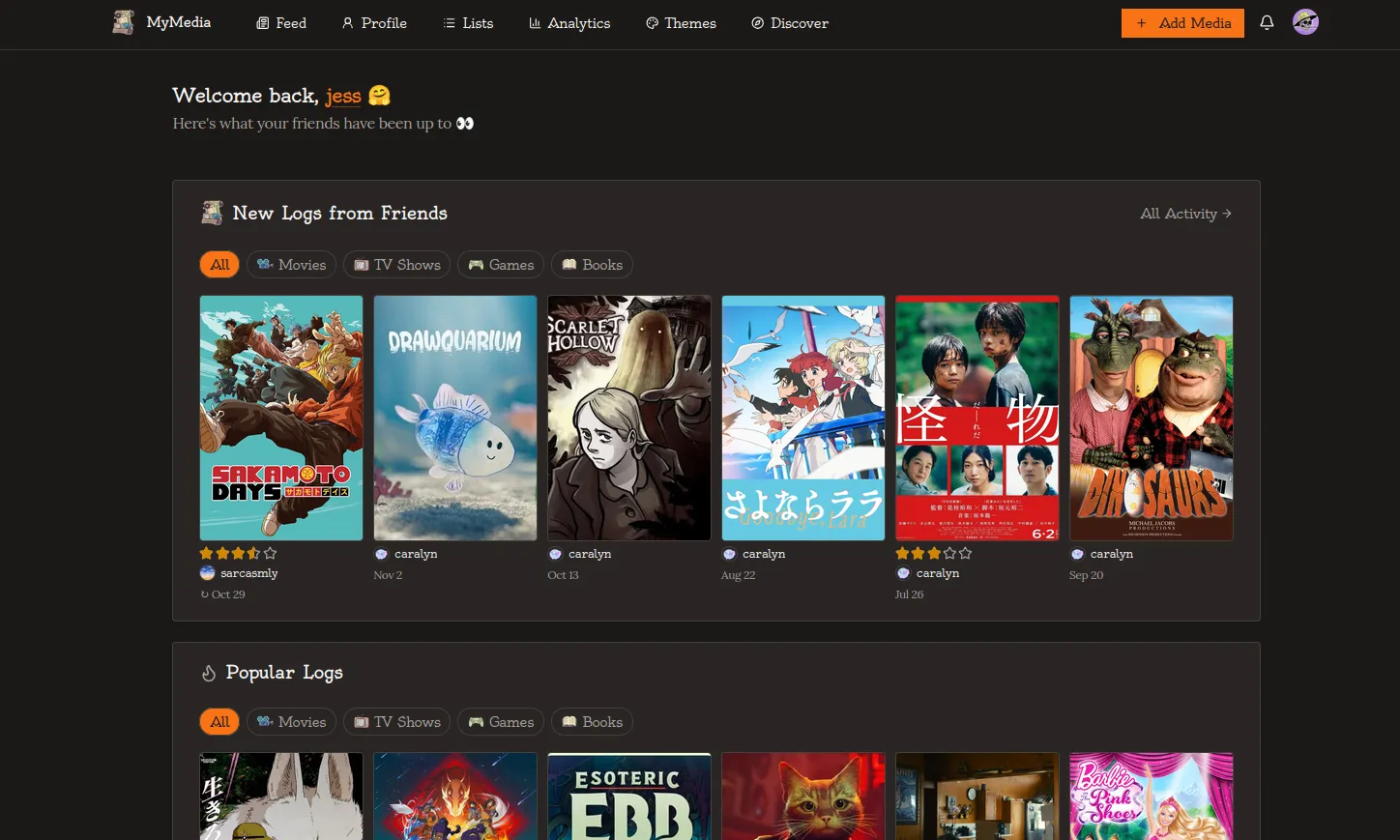
This is my first devlog for MyMedia! Welcome and thank you for taking your time to read it. I will be as brief as possible.
If you don’t know, MyMedia is a website I’ve built where you can log all types of media in one single page. Right now, the media categories are: Movies, Shows, Games, Books, and Music.
With update 1.3.0, I have added the following features:
- Import data: Bring your history from websites like Letterboxd for movies, Trakt for shows, and Goodreads and Storygraph for books. Unfortunately, and as much as I wanted, I don’t have a way to allow importing data for games from an app like Backloggd, as the app doesn’t have a feature that allows you to export your data from there.
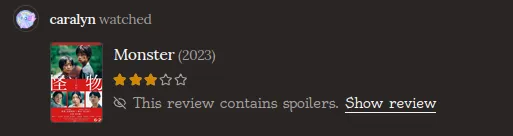
- Spoiler reviews: It’s now also possible to mark reviews as a spoiler!
- Category order: For supporters, there’s a new feature to reorder the media categories on their profile to any order they like best.
- General minor changes and bug fixes: In addition to new features I am constantly working to improving the website as much as I can.
// IMPORTS
Let’s talk about the big update first! Originally, I didn’t plan to work on this feature so soon into development, but right after launching I quickly realized how important this is to onboard new users and make life a bit easier for them. It can be daunting to start using a new tracker especially when we have big libraries of data that need to be moved.
So let’s see about how it works:
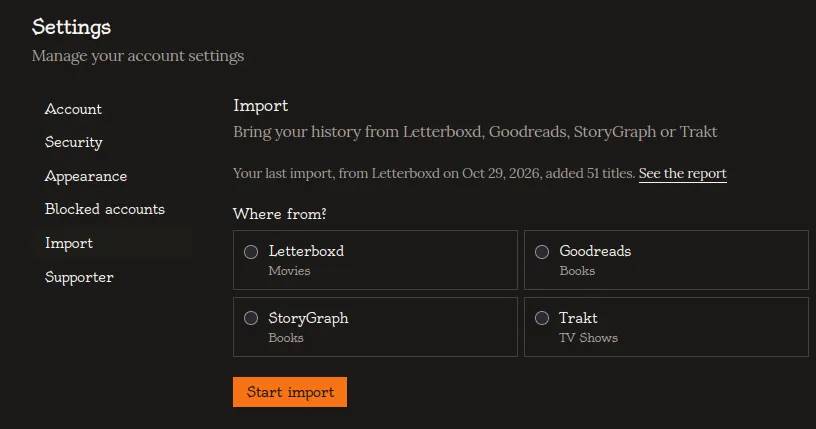
You can only do one import at a time, so you get to select which one you want to do. As you can see from the screenshot, the last import I made was from Letterboxd. You should always upload the folder or file from the websites exactly as you downloaded it, otherwise it won’t work.
Once you upload your file, the website will start importing the data. This is a queued job, so you can leave the page and do something else while the data imports. You will get a notification to return to this page to check the import.
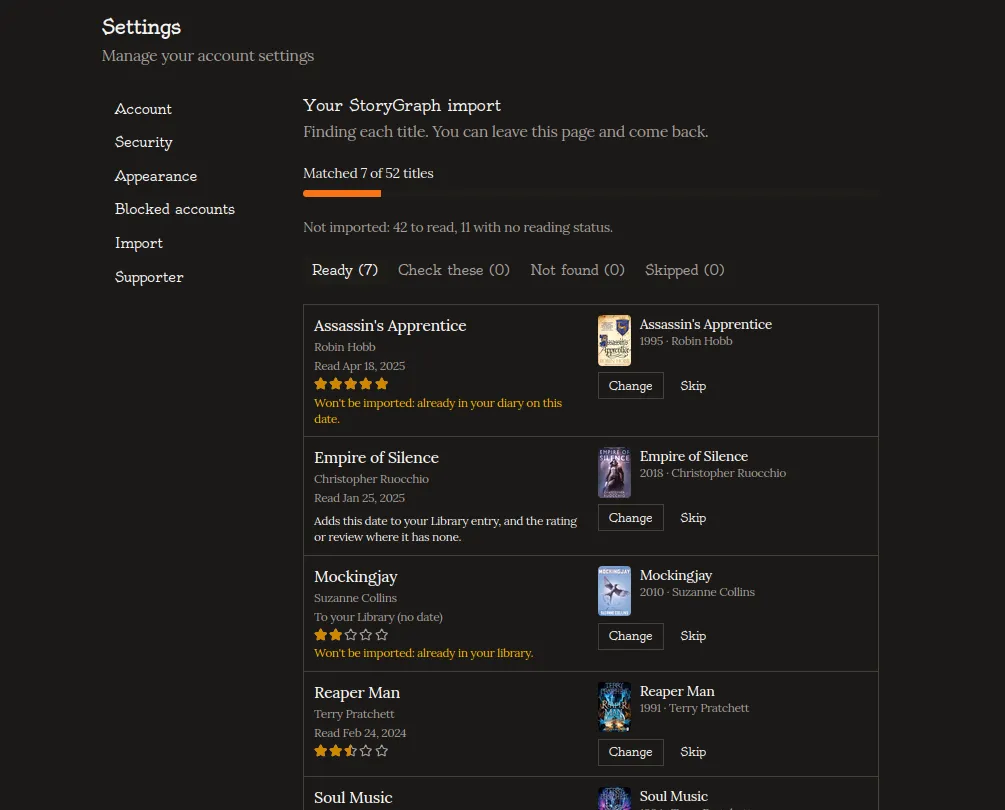
Once it’s done, you can check everything to see if all data matches. This is quite a detailed system I’ve built to ensure data gets matched correctly.
- You have the option to check all the entries that are ready to be imported. If you already have entries that match, you will see a warning that an entry is already in the library, and that it won’t be imported. This avoids duplicates;
- If you already have an entry in the library but with no review, and the same entry you imported has a review you previously wrote, only the review will get imported into your already existing entry;
- All entries that weren’t matched correctly can be found in the “Check these” tab, and you can match them manually, or skip them;
- If an entry has no match at all with the website’s data providers, it goes into “Not Found” and it can’t be imported;
After this check, all you need to do is click import and wait a few seconds for the data to be imported into your page!
// SPOILER REVIEWS
You can now also mark reviews as containing spoilers to hide them. There is a toggle button to hide and reveal reviews.
// CATEGORY ORDER FOR SUPPORTERS
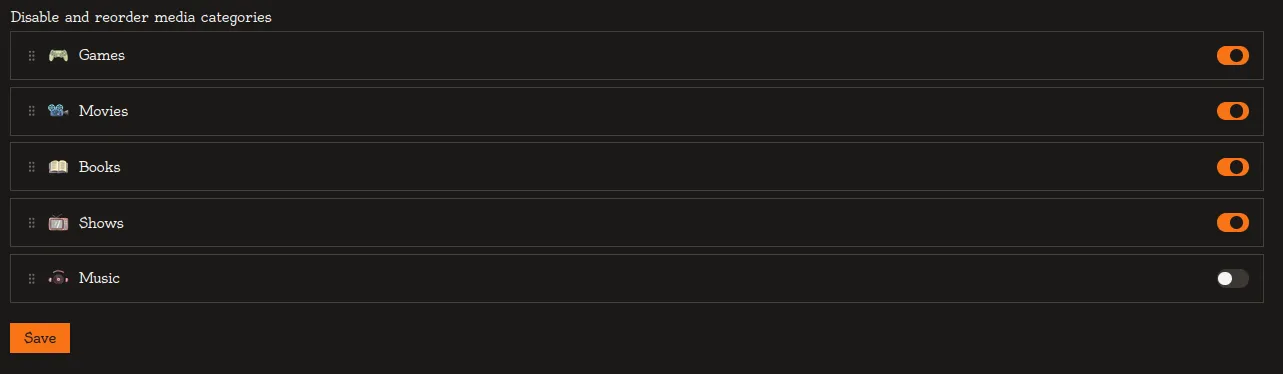
This is the first feature added post-launch that is only available for supporters.
Supporters can now reorder the media categories on their page. The default order is Movies - Shows - Games - Books - Music. With this feature, you can alter that order.
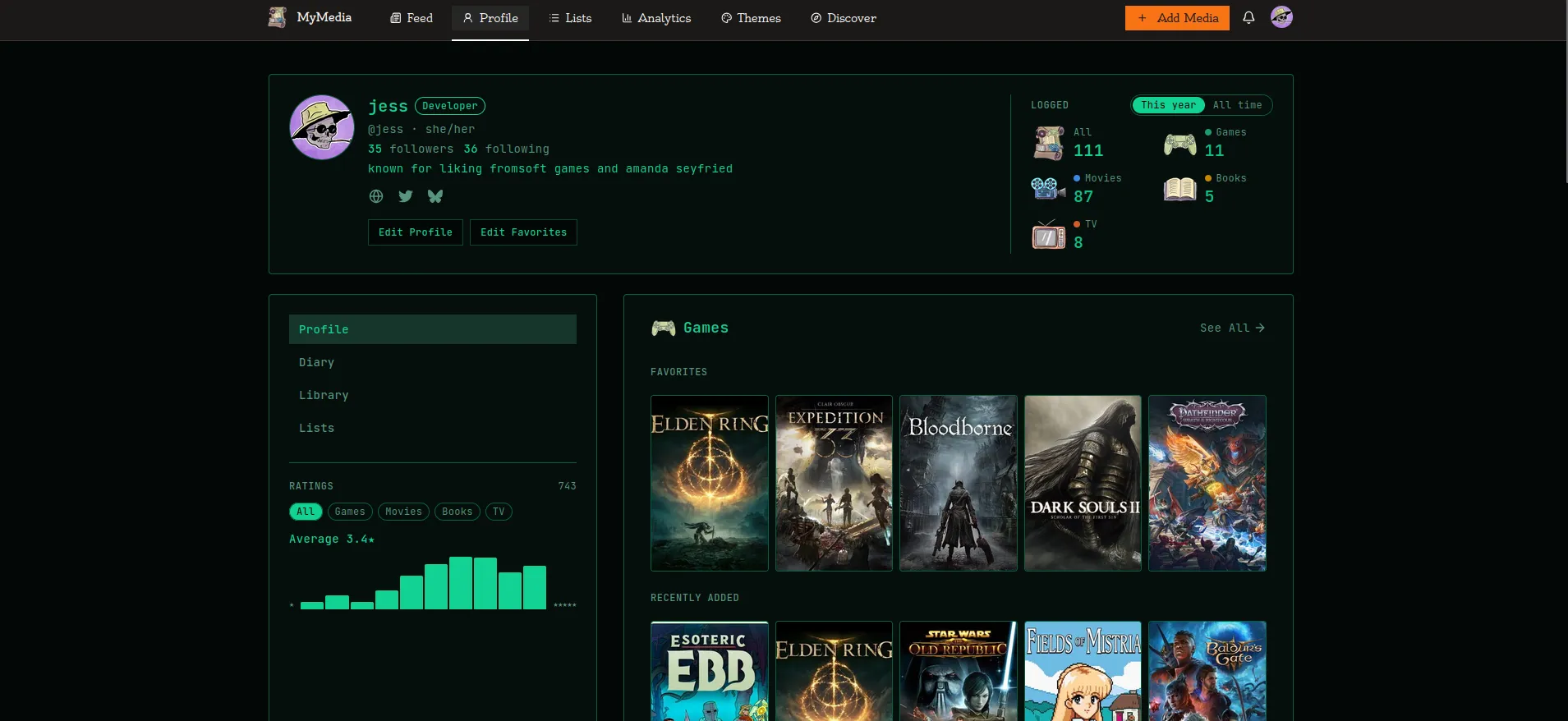
I, for example, currently have my order as Games - Movies - Books - Shows. (I’ve disabled the music category for myself as I don’t really keep track of it. This disable feature is free to everyone, btw!).
You can see how my profile looks.
// GENERAL CHANGES AND BUG FIXES
Those are the three main new features in this update. But I also made a couple minor changes and fixed quite a few bugs. If you’d like details on all of them, you can read about them in the update release.
// WHAT IS NEXT
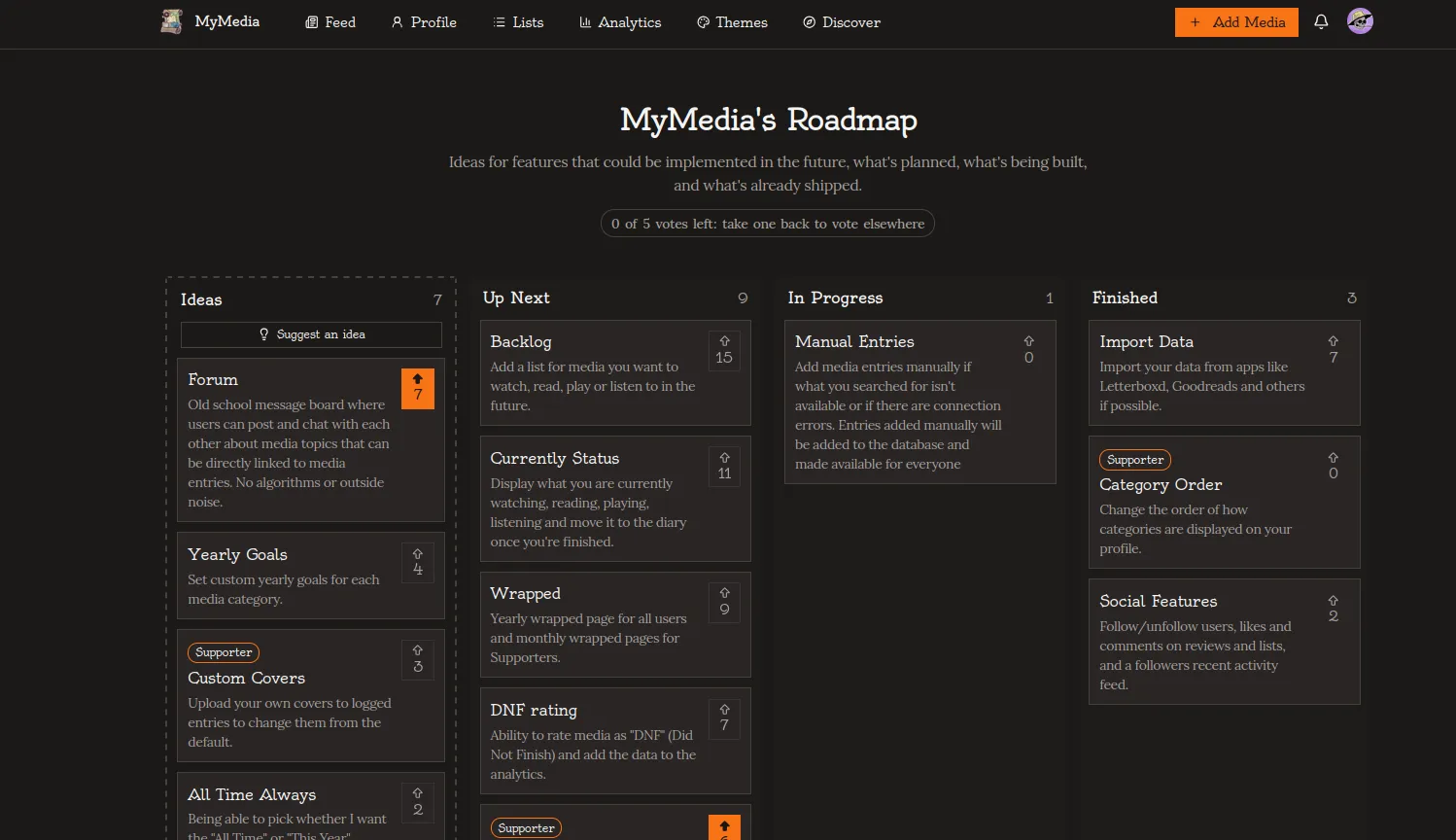
You can visit the roadmap to see what I’m working to add next, and you can vote what features you’d like to see first. If you’re a supporter, you can also submit your own ideas! There’s a lot of cool stuff in there that I’m excited to build in the future so make sure to check it out!
If you read all of this and decide to join MyMedia, let me know in the comments or in the guestbook! It would make my day :D
Thank you!
Jess





>COMMENTS.TXT // Say something nice! :)
// LEAVE A COMMENT
// COMMENTS
powered by guestbooks